

01/ 06
Create an order
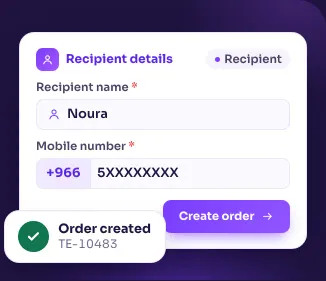
Ready in two steps
Pick the sender, fill in the recipient and parcel, and create the order. Not done yet? Save it as a draft and finish it later.
Create shipments, manage orders and track every parcel from one dashboard.
 DashboardWalletOrdersNew orderDraft ordersProfileDashboardWalletOrdersNew orderDraft ordersProfile
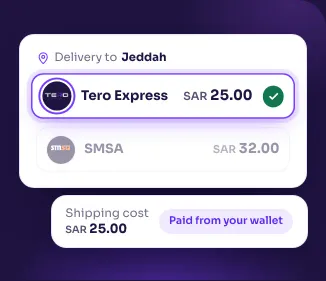
 Tero ExpressPrice per orderSAR 25.00
 SMSAPrice per orderSAR 32.00DashboardWalletOrdersNew orderDraft ordersProfileDashboardWalletOrdersNew orderDraft ordersProfileSAR 4,850.00Track shipment











Pick the shipping type that suits each order and see the price and pickup days before you confirm.
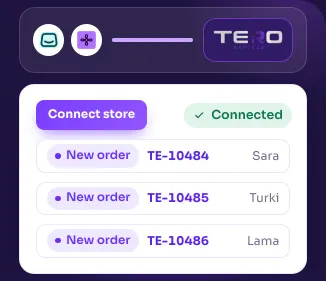
Connect your Salla or Zid store and follow all your orders in one list.
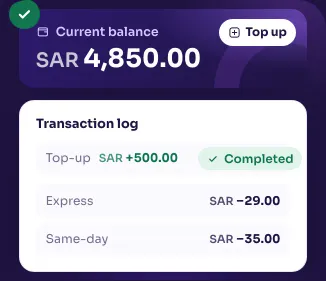
Top up once; each shipment is paid from your balance, and every transaction is in the log.
Shipping, coverage of every city in the Kingdom and follow-up on your shipments, all with Tero.

Tero’s heroes follow your orders from pickup until they reach your customers, in every city in the Kingdom.
One Tero network delivers your orders to your customers wherever they are in Saudi Arabia.
All your orders in one portal, and our heroes in follow-up and customer care keep track of your shipments with you.
Ready in two steps
Pick the sender, fill in the recipient and parcel, and create the order. Not done yet? Save it as a draft and finish it later.
See the price before you confirm
Each shipping type shows its price per order and pickup days. Compare them and pick what suits the order.
Pay from your balance
Top up once; each shipment’s cost comes out of your balance, and every movement is in the transaction log.
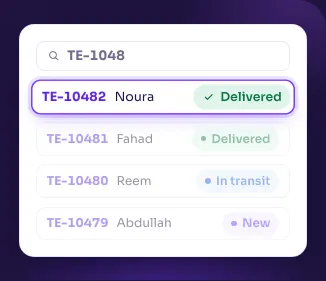
All your orders in one list
Search by order number or customer, filter by status, and see where every order is.
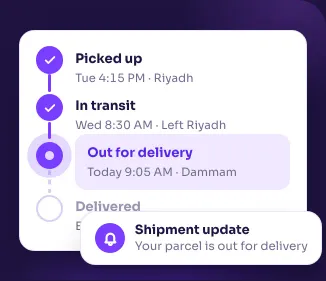
Know where every parcel is
Follow each step from pickup to delivery with the expected delivery time, and get a notification with every update.
Your store’s orders, ready to ship
Connect your Salla or Zid store and its orders land in your order list, ready to ship.




Every question has its own waybill. Open one and the answer is printed on it.
Create your account with “Sign up”, then top up your wallet or connect your store, and create your first order from “New order”.
Tero’s follow-up and customer care team keeps track of your shipments with you.
You top up your balance, each shipment’s cost is deducted from it, and every movement is logged.
Use the Salla or Zid button in the Integrations section, install the app and sign in with your Tero account. Once connected, your store’s orders land in your order list, ready to ship.
Yes. You can add orders by hand from “New order” and connect your store later, whenever you like.
The orders page shows the status of every order; open one to follow it from pickup to delivery. You can also track any shipment by its number in the tracking section on this page.